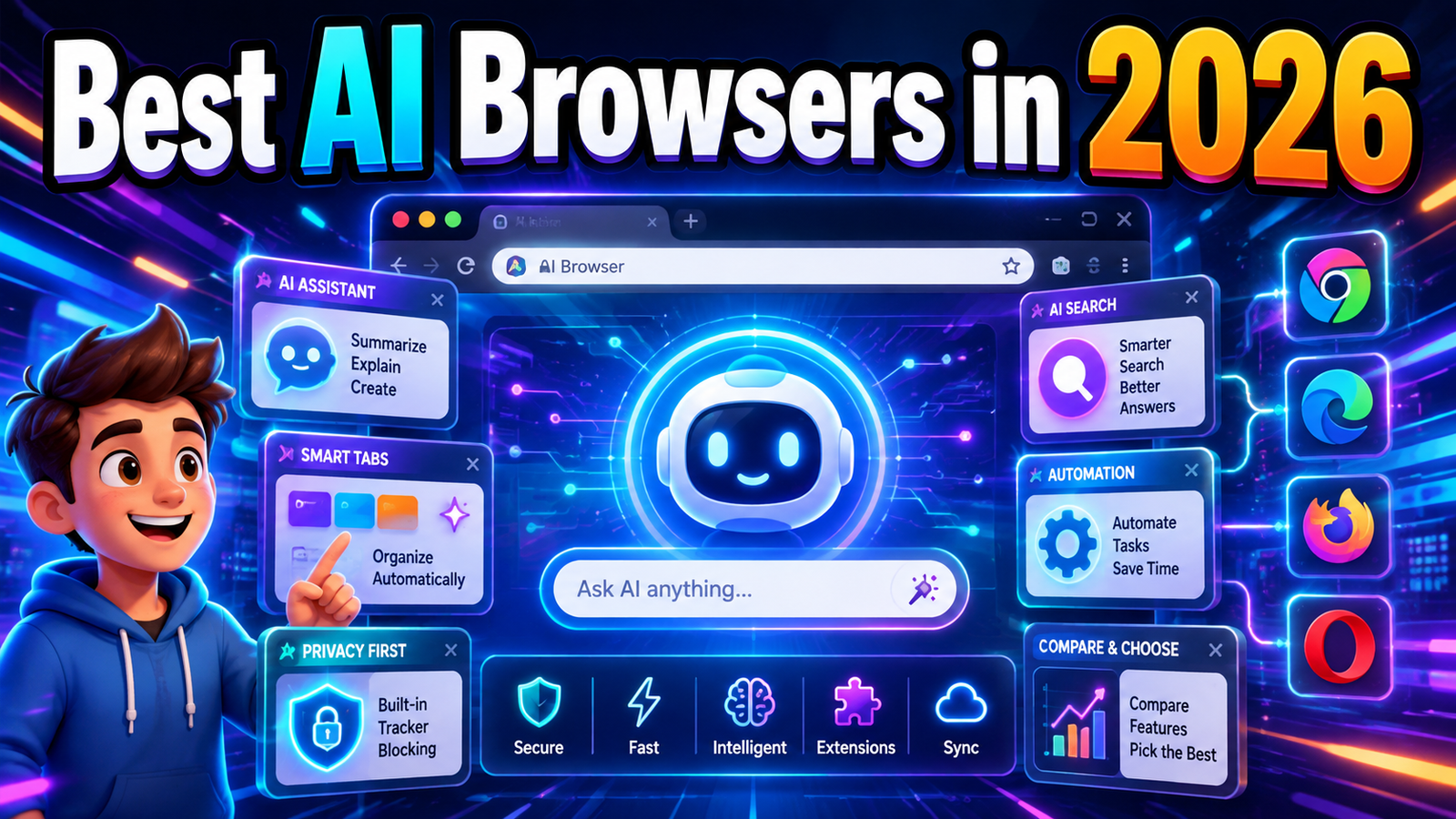
Best AI Browsers in 2026: 7 Smart Browsers That Are Changing How We Use the Web
The newest AI browsers can summarize a 5,000-word article before you read it, compare information across several open tabs, find something buried in your browsing history, answer questions about a PDF, organize research, draft emails, interact with web apps, and—in the most advanced cases—actually perform multi-step tasks on websites for you.
This is a much bigger change than adding a chatbot to the browser sidebar.
The browser is slowly becoming an AI workspace.
Google has pushed Gemini deeply into Chrome. Microsoft has integrated Copilot directly into Edge. Perplexity built Comet around AI-powered search and browser assistance. Opera Neon is experimenting aggressively with autonomous agents. Dia wants to understand your tabs, work apps, and daily context. Brave is approaching browser AI from a privacy-first direction, while Firefox is taking a very different approach by giving users unusually strong control over which AI features they want enabled.
The difficult part is that these browsers are not trying to solve exactly the same problem.
Some are best for research.
Some are better for automation.
Some are designed for privacy.
Some make the most sense for people already using Google Workspace or Microsoft 365.
And some AI browsers that looked promising only months ago are already disappearing.
That is why simply asking, “What is the best AI browser?” gives you the wrong question.
The better question is:
Which AI browser actually improves the way you use the web?
This guide compares the leading AI browsers available in 2026, explains what makes each one different, and helps you choose based on your real workflow rather than marketing promises.
Quick answer: Perplexity Comet is our best overall AI browser for AI-first research and assisted browsing. Google Chrome with Gemini is the safest choice for mainstream users. Opera Neon is the most interesting option for serious agentic AI users, while Brave remains the strongest choice if privacy matters more than maximum automation.
What Is an AI Browser?
An AI browser is a web browser that integrates artificial intelligence directly into the browsing experience.
That sounds simple, but the difference between a traditional browser and a modern AI browser becomes obvious once you actually look at what the AI can access.
A traditional browser gives you tabs, bookmarks, history, extensions, downloads, passwords, and a search bar.
An AI browser can potentially understand the content inside those tabs and use that context to help you.
For example, instead of manually switching between six product pages, you might ask:
“Compare these laptops and tell me which has the best combination of battery life and performance.”
The browser can inspect your open tabs and generate a comparison.
Instead of searching your browser history manually, you might ask:
“What was that article about AI security I read earlier this week?”
Instead of copying a long article into an AI chatbot, you can ask your browser to summarize the page currently on your screen.
The most advanced AI browsers go one step further. They are becoming agentic browsers.
An agentic browser does not only answer questions. It can potentially take actions.
Depending on the browser, AI agents may be able to navigate websites, fill forms, organize information, work with email and calendar services, perform research, or complete multi-step online tasks.
That is where browser AI becomes genuinely interesting—and where privacy and security become much more important.
AI Browser vs. Regular Browser With a Chatbot: There Is a Real Difference
One of the biggest mistakes in AI browser comparisons is putting every browser with an AI button into the same category.
They are not the same.
There are roughly three levels of AI browser integration in 2026.
Level 1: AI Assistant
The AI sits beside your webpage and helps explain, summarize, translate, or rewrite information.
Brave Leo and Firefox’s optional chatbot integrations fit strongly into this category.
Level 2: Context-Aware Browser AI
The AI understands more than the current webpage. It can work across multiple tabs, browsing history, previous conversations, connected applications, or saved context.
Chrome with Gemini, Microsoft Edge with Copilot, Dia, and Comet increasingly operate at this level.
Level 3: Agentic Browser
The AI can actively perform browser tasks rather than simply explaining what you should do.
Comet, Opera Neon, and some of Chrome and Edge’s newer AI capabilities are pushing most aggressively toward this model.
The distinction matters because more automation is not automatically better.
A browser that can control more of your web session may save substantial time—but it also needs more access and introduces more opportunities for mistakes.
The Best AI Browsers in 2026
1. Perplexity Comet — Best Overall AI Browser for Research and AI-First Browsing
Perplexity Comet is one of the clearest examples of what happens when an AI company designs a browser around artificial intelligence rather than adding AI after the browser is already built.
Comet is Chromium-based, so the basic experience remains familiar to Chrome users. It includes normal browser features such as bookmarks, page translation, and compatibility with most Chrome extensions. The major difference is that Perplexity’s AI system is built directly into the browsing workflow.
That makes Comet particularly strong for research.
Traditional browsing often looks like this:
Search Google.
Open seven tabs.
Read pieces of each page.
Forget which tab contained the useful information.
Open another five tabs.
Copy notes somewhere else.
Repeat.
Comet is trying to collapse that workflow.
Its assistant can work alongside your browsing session, summarize information, answer questions about webpages and help navigate unfamiliar software. Perplexity also promotes capabilities involving email, calendar, previous activity and broader web research.
What Makes Comet Different
The most important difference is that AI search is not treated as an optional extra.
It is part of the browser’s identity.
Perplexity search is closely integrated into the experience, which makes Comet feel particularly natural when your main reason for opening a browser is to find, understand, compare, or synthesize information.
Comet’s Personal Search and Comet Intelligence can also use browsing activity to help retrieve information you encountered previously.
That is potentially much more useful than traditional browser history.
You do not always remember a page title or exact URL.
You remember something like:
“Last week I read an article that compared local AI models.”
An AI layer that understands browsing context can theoretically retrieve information using meaning rather than exact keywords.
Best Comet Use Cases
Comet makes the most sense for researchers, marketers, journalists, students, entrepreneurs, analysts, SEO professionals, and anyone who spends a large part of the day gathering information from the web.
It is particularly useful when you regularly need to compare multiple sources.
Imagine researching software for a small business. Instead of keeping pricing pages, reviews, feature lists, Reddit discussions, and documentation open separately, the AI assistant can help synthesize the information into a decision.
That is where AI browsing actually saves time rather than simply adding another chatbot to your screen.
Comet Pricing and Access
You do not need a Perplexity account just to install Comet and use basic browsing and AI features. Signing in unlocks additional capabilities, saved chats, synchronization, and higher AI limits. Perplexity also continues to offer Free, Pro, Max, and Enterprise subscription levels, so the exact AI experience depends partly on your account and usage.
Comet Pros
- Excellent AI-first research workflow
- Deep Perplexity search integration
- Contextual assistant built directly into browsing
- Supports most Chrome extensions
- Useful for comparing multiple sources
- Can help retrieve information from past browsing activity
- Basic use does not require a Perplexity account
Comet Cons
- AI agents still require user judgment
- Privacy-conscious users may be uncomfortable giving an AI browser extensive context
- Some advanced capabilities depend on account level and usage limits
- Like all AI systems, generated conclusions can still be incorrect
Best For
Researchers, knowledge workers, marketers, students and users who want AI to become a central part of web research.
Our Verdict: Best overall AI browser in 2026 for AI-first research.
2. Google Chrome with Gemini — Best AI Browser for Most People
Google does not need to convince billions of users to switch to a completely unfamiliar browser.
It only needs to make Chrome smarter.
That gives Gemini in Chrome one of the biggest structural advantages in the entire AI browser market.
Rather than asking users to abandon their passwords, extensions, bookmarks, Google accounts and established browser habits, Google is adding increasingly advanced AI features directly into the browser they already use.
Gemini in Chrome can summarize webpages, answer questions, compare information across multiple tabs and work with Google services such as Gmail, Calendar, Maps and YouTube. Google has continued expanding those capabilities internationally throughout 2026.
Why Gemini in Chrome Matters
The strongest AI product is not always the one with the longest feature list.
Sometimes distribution matters more.
Chrome already sits at the center of millions of people’s working lives.
Their Gmail is open there.
Their Google Docs are open there.
Their YouTube research is there.
Their Calendar is there.
Their saved passwords are there.
Their shopping tabs are there.
Their work dashboards are there.
Adding an AI that understands this browsing environment creates a major productivity advantage.
Gemini can work across multiple tabs, meaning users can ask questions that would previously require manually switching between pages.
For example:
“Compare the return policies of these three stores.”
Or:
“Summarize the arguments across these five research articles.”
Google is also developing more agentic capabilities through auto browse, which can automate certain web tasks while requiring confirmation around sensitive actions. Auto browse has expanded across platforms, although availability can still vary by region, device and subscription level.
Google Ecosystem Integration Is the Real Advantage
Chrome’s biggest AI advantage may not be Gemini itself.
It is Gemini plus Google.
The browser can increasingly connect web browsing with services people already use daily.
That means less copy-and-paste friction.
A research session can connect to Gmail.
A location question can connect to Maps.
A meeting task can connect to Calendar.
A video question can connect to YouTube.
This is difficult for a smaller independent AI browser to reproduce at the same scale.
Chrome’s Weakness
Google’s biggest strength is also its biggest concern.
The more intelligent and personalized a browser becomes, the more users need to understand what information the AI can access.
Google emphasizes permission controls, prompt-injection protections and confirmation before sensitive actions. Still, users working with confidential business information should review account and organizational policies before enabling the deepest personalization features.
Chrome with Gemini Pros
- Familiar browser with almost no learning curve
- Deep Google ecosystem integration
- Multi-tab understanding
- Webpage summarization and contextual questions
- Growing agentic browsing capabilities
- Excellent choice for Gmail, Calendar and Google Workspace users
- Available across major desktop and mobile environments, although individual AI features vary by market
Chrome with Gemini Cons
- Some advanced AI functionality is region- or plan-dependent
- Heavy Google integration will not appeal to privacy-focused users
- Users may have less model choice than with multi-model browsers
- Agentic features are still evolving
Best For
Mainstream users, Google Workspace users, students, Android users and anyone who wants AI without moving to an experimental browser.
Our Verdict: The best AI browser for most people.
3. Opera Neon — Best Premium Agentic AI Browser
Opera Neon is not trying to win by being the safest or most conservative browser.
It is trying to show what a browser looks like when AI agents become a fundamental part of the product.
That makes Neon one of the most ambitious AI browsers available in 2026.
Opera describes Neon as an agentic browser and gives it multiple AI systems designed for different types of work.
The browser includes tools such as Chat, Do, Make and research-focused agents. In early 2026, Opera also introduced an Intelligent mode that can recommend which agent is appropriate for a task.
Chat, Do and Make
The names explain Opera’s strategy surprisingly well.
Chat handles normal AI conversation and contextual assistance.
Do is designed to perform tasks in the browser.
Make focuses more on creating things.
Opera has also built deep-research capabilities into Neon.
Instead of viewing the browser as a passive window into websites, Opera is trying to make it a workspace where AI can research, build and act.
That philosophy became even clearer when Opera added MCP Connector support in 2026.
Through Model Context Protocol connectivity, external AI clients can interact with a user’s live Opera Neon browser session, read browser context and—when permitted—perform actions. Opera specifically describes integrations where tools can open tabs, fill forms and interact with the live browser environment.
For developers and automation enthusiasts, that is a major distinction.
The Price Changes the Recommendation
Opera Neon costs $19.90 per month as of 2026. Opera positions it as a premium experimental product for AI power users and includes access to multiple advanced models and agentic capabilities under the subscription.
That immediately removes Neon from the “best browser for everyone” category.
Chrome, Edge, Brave, Firefox, Dia and basic Comet use can all deliver significant AI functionality without requiring a separate $19.90 browser subscription.
So Neon needs to justify its cost through automation.
For someone who simply wants webpage summaries, it probably does not.
For an AI power user who regularly uses autonomous workflows, multiple models, research agents, creative AI and browser automation, the subscription becomes much easier to understand.
Neon Pros
- One of the most ambitious agentic browser experiences
- Multiple specialized AI agents
- Strong research and automation features
- Supports external AI connections through MCP
- Access to multiple AI technologies under one subscription
- Rapidly updated experimental platform
Neon Cons
- $19.90 monthly price
- Too advanced for casual users
- Experimental AI behavior can create unpredictability
- Multiple AI modes can initially feel more complicated than a simple assistant
- Maximum automation naturally creates additional security considerations
Best For
Developers, AI enthusiasts, automation-heavy professionals and power users who want to experiment with the future of agentic browsing today.
Our Verdict: Best premium AI browser for advanced automation.
4. Dia — Best AI Browser for Knowledge Workers and Context
Dia comes from The Browser Company, the team that previously created Arc.
But Dia is built around a different idea.
Arc tried to redesign the interface of the browser.
Dia is trying to redesign the intelligence inside it.
Its original premise was straightforward: create a browser that lets you chat with your tabs.
During 2026, that idea has expanded into a much broader contextual workspace.
Dia can connect information across tabs and tools, generate reports, work with services such as Slack and Google apps, provide a Morning Brief, use memory, and help surface information without forcing users to manually locate every source.
Why Dia Feels Different
Dia is less focused on “AI search engine inside your browser” than Comet.
It is more focused on understanding the environment where your work is already happening.
That distinction matters.
A knowledge worker may have twenty tabs open alongside Slack, email, calendars, documentation and internal tools.
The problem is not always finding more information from the public web.
The problem is understanding the information already scattered across your digital workspace.
Dia’s positioning directly addresses that situation.
Its current website highlights capabilities that can synthesize information across services such as Slack, Notion and Calendar and answer questions using broader work context.
Browser Organization Is Also Improving
Dia is not ignoring normal browser usability.
Throughout 2026, it has continued improving tab organization, synchronization, performance and browsing workflows.
Recent versions have included synced tabs and extensions, organized tab groups, automatic cleanup features, improved startup performance and other changes intended to make Dia usable as a daily browser rather than simply an AI experiment.
That is important.
An AI browser can have brilliant AI and still fail if opening ten tabs feels worse than Chrome.
The Biggest Limitation: Platform Availability
As of the current official Dia website, Dia is available for Apple macOS 14+ on M1 or newer Macs.
That is a major limitation.
Windows users cannot treat Dia as a universal recommendation yet.
Dia is currently free according to its official terms, although the company reserves the ability to introduce paid features.
Dia Pros
- Excellent contextual AI approach
- Strong multi-tab workflow
- Useful for people working across many web applications
- Memory and connected-workspace philosophy
- Clean browser interface
- Improving tab organization and sync
- Currently free
Dia Cons
- Current official availability is limited to compatible Macs
- Less suitable for users who want a simple traditional browser
- Deep contextual features naturally require users to think carefully about permissions
- Still evolving rapidly
Best For
Mac users, consultants, managers, researchers, startup teams and knowledge workers who spend their day across tabs, Slack, email and cloud tools.
Our Verdict: Best AI browser for contextual knowledge work.
5. Microsoft Edge with Copilot — Best for Windows and Microsoft Users
Microsoft was one of the earliest major browser companies to integrate generative AI directly into the browsing experience.
In 2026, Edge’s AI strategy has matured.
One detail is important because many older articles now get it wrong:
Microsoft has retired the separate Copilot Mode concept, but many of its most useful AI capabilities have been integrated directly into Edge.
In May 2026, Microsoft announced broader Edge AI features including reasoning across multiple open tabs, browsing-history context, long-term conversation memory, Voice and Vision capabilities, a redesigned new-tab experience and Journeys.
Multi-Tab Copilot Is the Feature That Matters
Modern browsing creates information overload.
You rarely research something in one tab.
You open a review.
Then a product page.
Then Reddit.
Then YouTube.
Then another review.
Then a spreadsheet.
Copilot in Edge can use open-tab context—with user permission—to compare information and surface important details without requiring manual tab switching.
That puts Edge in direct competition with Gemini in Chrome and Comet.
Journeys Solves a Different Problem
Microsoft’s Journeys feature is designed to organize browsing history into meaningful projects or topics.
That sounds minor until you think about how terrible conventional browser history is.
Traditional history is chronological.
Human memory is contextual.
You remember:
“The research I was doing for my trip.”
You do not remember:
“The webpage I opened Tuesday at 4:17 PM.”
AI-organized history can potentially make browsers much better at helping users resume unfinished work.
Why Edge Makes Sense for Business Users
If your organization already operates through Windows, Microsoft 365, Outlook, OneDrive and Teams, Edge becomes increasingly difficult to ignore.
The browser does not need to become your entire AI platform.
It only needs to connect smoothly to the Microsoft environment you already use.
The limitation is that certain advanced Edge AI capabilities continue to vary by region and subscription. For example, Microsoft says its Browse with Copilot action capability is limited to Microsoft 365 Premium subscribers in the United States at the time of its May 2026 update.
Edge Pros
- Strong integration with Windows and Microsoft services
- Multi-tab reasoning
- Browsing-history context
- Voice and Vision
- Long-term conversational context
- Journeys for resuming previous research
- Available on desktop and mobile
Edge Cons
- Microsoft frequently changes Copilot branding and feature placement
- Advanced functions can vary significantly by market
- Some capabilities require Microsoft subscriptions
- Less attractive to users outside the Microsoft ecosystem
Best For
Windows users, Microsoft 365 customers, office professionals, students and businesses already using Microsoft’s ecosystem.
Our Verdict: Best AI browser for Microsoft-centric workflows.
6. Brave with Leo — Best Privacy-Focused AI Browser
Brave’s approach to AI is fundamentally different from the approach taken by companies whose competitive advantage depends on knowing more about your online activity.
Brave wants to make browser AI useful without abandoning its privacy-focused identity.
Its built-in assistant, Leo, can summarize webpages, generate and rewrite text, translate information, analyze documents and answer contextual questions from inside the browser. Brave also supports AI interactions with PDFs, Google Docs and Google Sheets.
Privacy Is the Main Feature
Brave says Leo does not retain or share chats for additional model training, does not require an account for the free experience and does not collect identifiers such as a user’s IP address in connection with Leo requests. Chat history can also be stored locally on the device.
That makes Leo one of the easiest AI browser recommendations for users who want assistance but do not want maximum personalization.
There is an important tradeoff.
A privacy-first assistant intentionally knows less about you than a deeply personalized agent.
That can make it less magical.
But for many users, that is exactly the point.
Bring Your Own Model
One of Brave’s most interesting newer capabilities is support for bringing your own AI model.
Brave says Leo can work with local or remote models through its BYOM functionality.
That opens possibilities for technically advanced users who want tighter control over where AI inference happens.
For privacy-sensitive businesses, developers and AI enthusiasts running local models, that is a meaningful differentiator.
Brave Is Also Experimenting With Agentic Browsing
Brave is not stopping at chatbot assistance.
The company has been testing agentic browsing and expanded early testing into release channels during 2026.
Interestingly, Brave itself has publicly emphasized that agentic browsing introduces serious security risks because giving AI control of a browser can expose personal information or allow unintended actions.
That caution is refreshing.
It is also something every AI browser user should remember.
Brave Leo Pros
- Strong privacy model
- Free AI access
- No account required for basic Leo use
- Webpage, document and PDF analysis
- Local chat history
- Bring Your Own Model support
- Available on Windows, macOS, Linux, Android and iOS
- Built-in Brave privacy and ad-blocking ecosystem
Brave Leo Cons
- Less deeply personalized than context-heavy AI browsers
- Free AI usage can be limited
- Agentic functionality is less mature than Comet or Opera Neon
- Not the best option for users deeply invested in Google or Microsoft productivity ecosystems
Best For
Privacy-conscious users, developers, local-model enthusiasts and people who want AI assistance without maximum data collection.
Our Verdict: Best privacy-first AI browser in 2026.
7. Firefox — Best AI Browser for User Choice and Control
Firefox is the most unusual entry on this list because Mozilla’s strategy is not:
“Put as much AI in the browser as possible.”
Instead, it is:
“Let the user decide.”
Starting with Firefox 148 in February 2026, Mozilla introduced dedicated AI Controls that let users manage individual AI features—or block generative AI enhancements entirely.
The controls cover features such as AI-assisted translations, PDF alt text, AI-enhanced tab grouping, link previews and the optional AI chatbot sidebar.
Choose Your Own Chatbot
Firefox does not force users into one AI ecosystem.
Its sidebar can connect to multiple providers, including ChatGPT, Claude, Gemini, Microsoft Copilot and Le Chat Mistral.
That is a surprisingly powerful idea.
Chrome naturally promotes Gemini.
Edge naturally promotes Copilot.
Brave promotes Leo.
Firefox says, effectively:
Choose the assistant you prefer.
For users who already pay for an AI service and do not want their browser to determine their model, this flexibility is attractive.
The Anti-Lock-In Browser
Firefox is not the strongest agentic browser in this ranking.
It is not trying to be.
Its value comes from flexibility, independence and control.
Mozilla even allows users to block current and future AI enhancements with one setting while selectively enabling features they actually want.
In a market where browsers increasingly want AI to see more context, Firefox’s approach may become more valuable rather than less.
Firefox Pros
- Excellent control over AI features
- Multiple chatbot choices
- Users can block AI entirely
- Independent browser ecosystem
- Strong choice for users avoiding Google/Microsoft lock-in
- Useful built-in AI features without forcing an AI-first workflow
Firefox Cons
- Not as agentic as Comet or Opera Neon
- AI integration feels more modular than deeply native
- Fewer autonomous browser capabilities
- Users looking for maximum automation should choose something else
Best For
Users who want AI features on their own terms, open-web supporters, privacy-conscious users and people who want to choose their preferred AI provider.
Our Verdict: Best AI-enabled browser for flexibility and user control.
Best AI Browsers in 2026: Side-by-Side Comparison
| AI Browser | Best For | AI Style | Agentic Tasks | Privacy Focus | Price/Access |
|---|---|---|---|---|---|
| Perplexity Comet | Research & web intelligence | AI-first browser | Strong | Medium | Free basic access; paid Perplexity tiers available |
| Chrome + Gemini | Most users & Google ecosystem | Deep integrated assistant | Growing | Medium | Chrome free; some AI features depend on plan/region |
| Opera Neon | AI power users | Agentic workspace | Very Strong | Medium | $19.90/month |
| Dia | Knowledge workers | Context-aware workspace | Strong/Growing | Medium-High controls | Currently free |
| Microsoft Edge | Windows & Microsoft 365 | Integrated Copilot | Strong/Growing | Medium | Browser free; some advanced features subscription-based |
| Brave + Leo | Privacy | Privacy-first assistant | Experimental/Growing | Very High | Free; Premium available |
| Firefox | Choice & control | Optional multi-provider AI | Limited | High | Free |
Important: AI browser functionality changes extremely quickly. Feature availability can depend on operating system, region, account type and subscription level. Always check the browser’s current official documentation before purchasing a subscription specifically for one feature.
Which AI Browser Should You Actually Choose?
Best AI Browser for Research: Perplexity Comet
If your browser is primarily a research machine, Comet is difficult to beat.
Its close relationship with Perplexity search means finding, comparing and synthesizing web information feels central to the experience rather than added afterward.
Researchers, SEO professionals, writers, journalists and analysts should put Comet near the top of their testing list.
Best AI Browser for Everyday Users: Chrome with Gemini
Most people do not want to rebuild their browser workflow from scratch.
They want the browser they already know to become smarter.
That is Chrome’s advantage.
If you already live in Gmail, Google Docs, YouTube, Maps and Calendar, Gemini integration adds AI with relatively little friction.
Best AI Browser for Automation: Opera Neon
If you actively want AI agents performing tasks rather than simply answering questions, Opera Neon is one of the most ambitious products available.
The $19.90 monthly subscription means it only makes financial sense if you actually use the advanced capabilities.
Best AI Browser for Work Context: Dia
Dia makes the most sense when your problem is not finding information but managing information scattered across tabs and workplace services.
For compatible Mac users, it is one of the most interesting browser experiments of 2026.
Best AI Browser for Windows: Microsoft Edge
Edge is the obvious AI browser to test first if your working environment already depends on Windows and Microsoft 365.
You will gain more from the integrations than someone whose workflow is entirely Google-based.
Best AI Browser for Privacy: Brave
Brave offers one of the strongest combinations of normal browsing privacy and integrated AI.
The ability to use Leo without creating an account, keep conversation history locally and even connect your own model makes Brave particularly attractive to privacy-conscious AI users.
Best AI Browser for AI Choice: Firefox
Firefox is the answer for users who do not want their browser company deciding how much AI they should use.
Enable the features you like.
Choose your chatbot.
Block the rest.
That philosophy makes Firefox increasingly distinctive in 2026.
What About ChatGPT Atlas?
ChatGPT Atlas deserves a special mention because many “best AI browser” articles published during late 2025 and early 2026 still recommend it.
That recommendation is now outdated.
OpenAI launched ChatGPT Atlas in October 2025 as a macOS browser with ChatGPT deeply integrated into the browsing experience.
However, OpenAI is discontinuing the standalone Atlas browser, with shutdown scheduled for August 9, 2026, as the company moves browser-related functionality toward its broader ChatGPT application and browser integrations.
For that reason, Atlas is not included in our ranked recommendations.
This example also demonstrates something important about AI software in 2026:
Do not choose a browser only because it has the most exciting demo.
Choose one that also works reliably as a browser and fits into a sustainable product ecosystem.
The Biggest Benefits of AI Browsers
Less Tab Switching
This may sound minor, but it is probably the most immediate productivity improvement.
Knowledge work often involves manually moving information between tabs.
AI browsers can increasingly understand several tabs at once.
That changes the browser from a collection of isolated pages into a shared information workspace.
Faster Research
Instead of reading every result from beginning to end, users can ask AI to identify key differences, summarize arguments and surface relevant details.
This does not eliminate the need to verify important information.
It reduces the amount of manual filtering required before you know what deserves attention.
Contextual Assistance
The best AI browsers understand what you are looking at.
You no longer need to explain:
“I am reading an article about semiconductor manufacturing.”
The browser already has that context.
That makes follow-up questions faster and more natural.
Better Browser History
AI can potentially turn browsing history from a chronological database into searchable memory.
Comet, Edge and other browsers are already moving toward experiences where users can retrieve previous browsing context more naturally.
That could become one of the most underrated AI browser features.
Web Automation
Agentic browsers can potentially remove repetitive work such as navigating pages, collecting information, filling certain forms, organizing tasks and interacting with online services.
The productivity potential is substantial.
So is the risk.
Which brings us to the most important limitation.
The Security Problem With Agentic AI Browsers
The more control you give an AI browser, the more damage an incorrect decision can potentially cause.
A chatbot generating a wrong summary is inconvenient.
An AI agent taking the wrong action inside an authenticated web account can be much more serious.
One of the biggest emerging threats is prompt injection.
A malicious webpage can contain instructions designed to manipulate an AI agent.
Humans may not even notice the malicious text.
But an AI browsing system processing the page could potentially interpret it as an instruction.
Security researchers continue studying how browser agents can be manipulated through webpages, memory systems and connected environments. Even browser companies themselves acknowledge that agentic browsing creates new risks. Brave, for example, explicitly warns that giving AI control of browsing can expose personal information or lead to unintended actions.
The practical rule is simple:
Do not treat AI browser agents as infallible employees.
Treat them as assistants that require supervision.
Be especially careful when an AI browser has access to banking, payments, healthcare portals, confidential company systems, administrator dashboards, private communications or sensitive personal accounts.
Privacy: The Question Every AI Browser User Should Ask
Traditional browsers already process sensitive information.
AI browsers can require even more context.
To understand your current page, the AI may need webpage content.
To compare tabs, it may need information from several pages.
To retrieve something from your past activity, it may need access to browsing history.
To personalize recommendations, it may use memory.
To perform actions, it may need permission to interact with authenticated websites.
None of these features are automatically bad.
But users need to understand the exchange.
Greater context usually creates better assistance.
Greater context also creates greater responsibility around data.
Before enabling the deepest AI personalization features, check what information is processed, where processing happens, whether chats are retained, whether content is used for model training, how history is stored and whether your organization permits the tool.
This is particularly important for employees working with customer information, legal documents, financial records, internal company data or regulated information.
Are AI Browsers Actually Better Than Chrome Without AI?
Not for everyone.
That answer may disappoint people expecting every new technology to immediately replace the old one, but it is the realistic situation in 2026.
If your daily browser usage consists of YouTube, social media, email, news and a handful of familiar websites, a deeply agentic browser may solve problems you do not have.
The benefits become much clearer for people who spend hours doing research, comparing information, working across web applications, managing large numbers of tabs or performing repetitive online tasks.
In other words:
AI browsers deliver the biggest benefit to people whose browser is also their workplace.
For everyone else, AI may remain a useful optional feature rather than the reason to switch browsers.
What to Look for Before Switching to an AI Browser
Do not evaluate an AI browser only by its chatbot.
A browser is infrastructure.
You may use it for several hours every day.
Before switching, evaluate normal browser fundamentals as carefully as AI features.
Check extension compatibility.
Check password-manager support.
Check synchronization.
Check mobile availability.
Check memory and battery usage.
Check profile management.
Check privacy controls.
Check whether your employer allows it.
Check how frequently the browser receives security updates.
Then evaluate AI.
Ask whether it can work across tabs.
Ask whether it can use browsing history.
Ask whether AI memory can be disabled.
Ask whether it can take actions.
Ask whether sensitive actions require confirmation.
Ask which AI models are used.
Ask which features require payment.
The best AI browser is useless if the browser itself constantly gets in your way.
The Future of AI Browsers: What Comes Next?
The browser war of the next few years will not be about who renders webpages fastest.
Modern browsers are already extremely fast.
The competition is shifting toward context and action.
The next generation of browsers will likely compete on how effectively they understand what you are doing, remember useful context, coordinate between web applications and complete tasks with less manual input.
Browsers Will Become More Agentic
Today’s agents still require significant supervision.
That will improve.
Browsers will increasingly be able to turn a high-level request into a sequence of web actions.
Instead of:
“Find flights.”
The task becomes:
“Find me the best flight that matches my schedule and budget, compare baggage policies, show me the top three choices, and wait for approval before booking.”
That final approval step will remain extremely important.
Browser Memory Will Become a Major Feature
History is becoming memory.
The difference is enormous.
History knows which URL you opened.
Memory can potentially understand why you opened it.
That could allow future browsers to answer questions such as:
“What was the productivity app I researched two months ago but decided not to buy?”
This is powerful.
It is also one of the areas where privacy controls will matter most.
Multi-Model Browsing Will Grow
Opera and Brave already demonstrate versions of this idea.
Instead of relying on one model, browsers may automatically route different tasks to different AI systems.
One model may be better for fast summaries.
Another for coding.
Another for research.
Another for vision.
The user may eventually stop thinking about model names entirely.
They will simply ask the browser to complete a task.
Security Will Become the Deciding Factor
AI capability will continue improving quickly.
Trust will improve more slowly.
The winner of the AI browser market may not be the company whose agent can click the most buttons.
It may be the company that convinces users its agent can act without creating unacceptable risk.
That requires strong permissions, confirmations, isolation, transparency and defenses against prompt injection.
Frequently Asked Questions
What is the best AI browser in 2026?
Perplexity Comet is our best overall recommendation for users specifically looking for an AI-first browsing experience because of its combination of search, research, contextual assistance and agentic capabilities. Chrome with Gemini is a better choice for most mainstream users because it adds strong AI functionality without requiring them to leave the familiar Chrome ecosystem.
What is the best free AI browser?
Chrome with Gemini, Brave with Leo, Firefox and the basic Comet experience can all provide useful AI functionality without requiring a separate browser subscription. Availability and usage limits vary by feature and region.
Which AI browser is best for research?
Perplexity Comet is particularly strong for research because Perplexity’s search and answer engine is integrated directly into the browser. Chrome with Gemini is also excellent for comparing multiple tabs and working with Google services.
Which AI browser is best for privacy?
Brave is our strongest recommendation for privacy-conscious users who still want integrated AI. Leo does not require an account for its free experience, Brave says conversations are not used for model training, and users can connect local or remote models. Firefox is another strong choice because its AI features are optional and individually controllable.
Is Opera Neon free?
No. Opera Neon costs $19.90 per month as of 2026. Opera positions it as a premium browser for AI power users and includes advanced agentic tools and access to multiple AI technologies.
Is Dia browser free?
Dia’s official terms currently state that the browser is free, although the company may charge for certain features in the future. Its official website currently lists availability for Macs running macOS 14 or later with Apple M1 chips or newer.
Does Firefox have built-in AI?
Yes, although Firefox takes an optional approach. Users can access AI-enhanced features and a chatbot sidebar supporting providers such as Claude, ChatGPT, Gemini, Copilot and Mistral. Firefox also allows users to block individual AI features or generative AI enhancements entirely.
Can AI browsers see my open tabs?
Some can, when the relevant feature and permissions are enabled. Chrome with Gemini and Microsoft Edge with Copilot, for example, support working across multiple open tabs. Each browser handles permissions and availability differently, so users should review privacy settings before enabling contextual access.
Are AI browsers safe?
They can be used safely for many normal tasks, but agentic AI introduces additional risks. AI agents can misunderstand instructions, hallucinate or potentially be manipulated by malicious webpage content. Sensitive actions should always be reviewed by the user.
Can AI browsers replace search engines?
Partially.
AI browsers are increasingly changing how users search because they can synthesize multiple sources rather than showing only a list of links. Traditional search remains valuable when you want to inspect sources directly, explore broadly or verify AI-generated answers.
Is ChatGPT Atlas still available?
OpenAI launched ChatGPT Atlas in October 2025, but the standalone browser is being discontinued on August 9, 2026. Users looking for a long-term AI browser should therefore choose another option rather than switching to Atlas now.
Key Takeaways
- Perplexity Comet is the best overall AI-first browser for research, search and contextual browsing.
- Google Chrome with Gemini is the strongest choice for mainstream users and people already using Google’s ecosystem.
- Opera Neon offers some of the most ambitious agentic AI capabilities but costs $19.90 per month.
- Dia is particularly interesting for Mac-based knowledge workers who want AI to understand context across tabs and workplace tools.
- Microsoft Edge with Copilot is the natural choice for Windows and Microsoft 365 users.
- Brave with Leo provides the strongest privacy-focused AI browser experience.
- Firefox offers the most control, including the ability to choose different AI providers or block AI enhancements entirely.
- Agentic browsers can save significant time, but giving AI permission to act inside websites creates new security and privacy risks.
- The best AI browser is not necessarily the browser with the most automation. It is the one whose AI features actually match your daily workflow.
- ChatGPT Atlas should no longer be considered a long-term browser recommendation because OpenAI is discontinuing the standalone product on August 9, 2026.
Conclusion: The Browser Is Becoming an AI Workspace
The biggest mistake you can make when evaluating the best AI browsers in 2026 is thinking this is simply another browser-speed competition.
It is not.
Chrome, Edge, Firefox, Brave and other established browsers are already fast enough for normal web use.
The new competition is about intelligence.
Which browser understands what you are doing?
Which browser can connect information across tabs?
Which one remembers useful context?
Which one can safely take action?
Which one gives you enough control over your data?
And most importantly, which one actually reduces work instead of adding another AI interface you have to manage?
For research-heavy users, Perplexity Comet currently offers one of the clearest examples of AI-native browsing.
For the average user, Chrome with Gemini is probably the easiest transition because the AI arrives inside a browser and ecosystem they already know.
For automation enthusiasts, Opera Neon shows where agentic browsing may be heading.
For work-focused Mac users, Dia is developing one of the most interesting contextual approaches.
For Windows professionals, Microsoft Edge continues to turn Copilot into a deeper part of everyday browsing.
For privacy, Brave Leo stands apart.
And for users who want to decide exactly how much AI enters their browser, Firefox may have the most sensible philosophy of all.
There probably will not be one permanent winner.
The AI browser market is moving too quickly.
The more likely future is that browsers separate into different philosophies: AI-first research browsers, privacy-first browsers, ecosystem browsers and fully agentic workspaces.
That competition is good for users.
For decades, the browser was mostly a window through which we accessed the internet.
In 2026, that window is beginning to think, remember and act.
The real question is no longer whether AI is coming to your browser.
It already has.
The question is how much control you are willing to give it.
Research Note: Information in this guide was checked against current official documentation and product updates available through August 2026, including Perplexity, Google Chrome, Opera, Dia/The Browser Company, Microsoft Edge, Brave, Mozilla Firefox and OpenAI. AI browser features, subscriptions and regional availability change rapidly, so individual product details should be rechecked before making purchasing decisions.