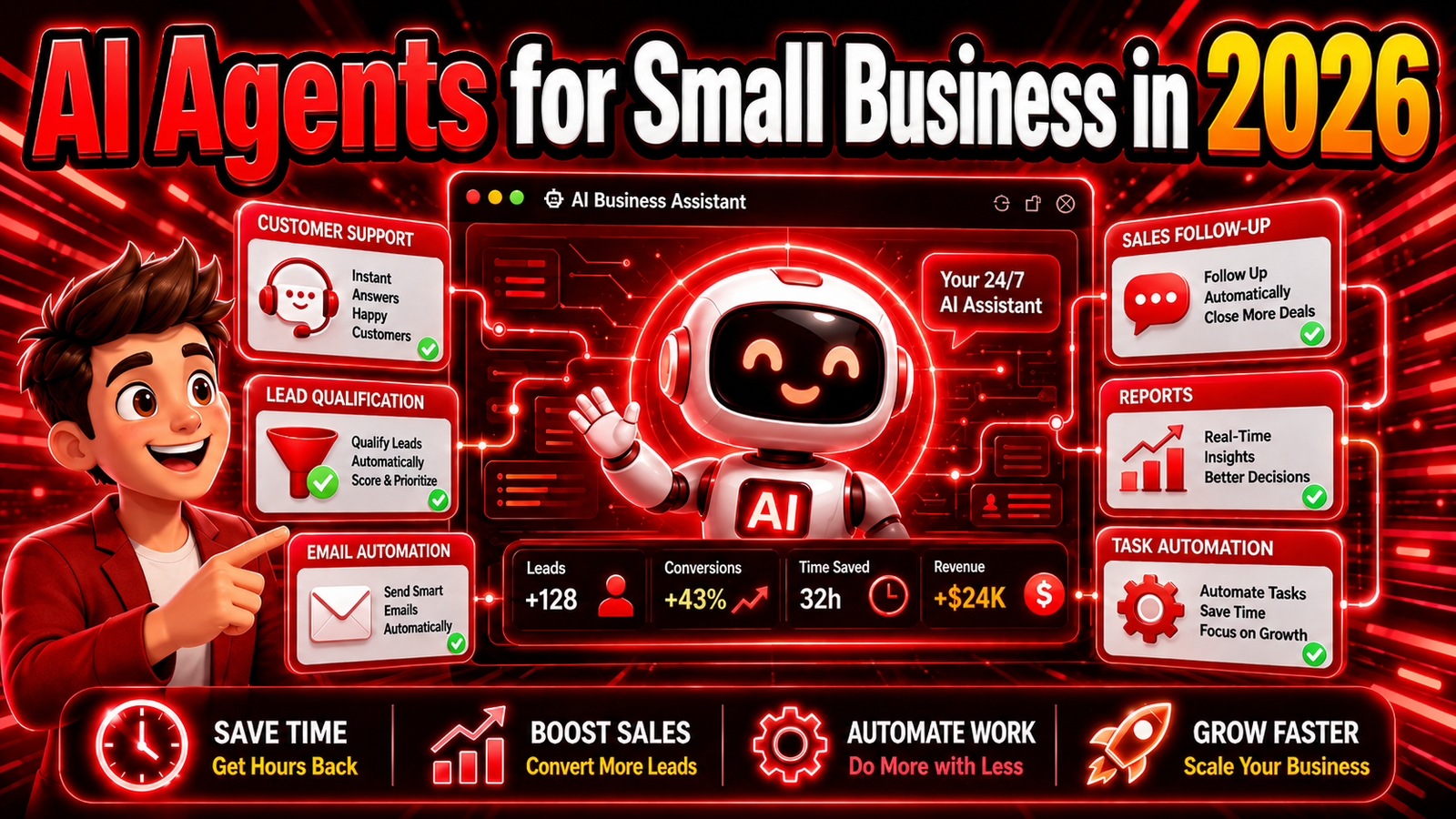
AI Agents for Small Business in 2026: Best Tools, Use Cases, Costs & Complete Guide
Running a small business has always required people to do more than their job title suggests.
A business owner may start the morning answering customer emails, spend lunch reviewing invoices, use the afternoon following up with leads, and finish the day preparing social media posts or checking reports.
Larger companies can assign these tasks to different departments.
Small businesses often cannot.
That is one reason AI agents have become one of the most important business technology trends of 2026.
Traditional AI assistants were mainly designed to answer questions or generate content. AI agents go further. They can potentially monitor information, make decisions based on instructions, use business applications, complete multi-step workflows and take actions on behalf of a user.
Instead of asking AI:
“Write a follow-up email for this customer.”
An AI agent can potentially:
- identify customers who need follow-up,
- review previous communication,
- prepare a personalized message,
- update the CRM,
- schedule another follow-up,
- and notify a salesperson when human attention is required.
This shift from generating answers to performing work is why companies including OpenAI, Microsoft, Google, Salesforce, HubSpot and Zapier are investing heavily in agentic AI.
OpenAI, for example, launched a dedicated ChatGPT small-business initiative in July 2026 and describes AI as a way for small teams to expand their capacity when owners are forced to handle marketing, sales, operations and strategy at the same time.
But AI agents are not magic employees.
They can make mistakes.
They need permissions.
They may access sensitive company information.
And automating the wrong process can create more problems than it solves.
This guide explains what AI agents are, the best AI agent tools for small businesses in 2026, where they can actually save time, how much automation you should allow and how to implement agents without losing control of your business.
Quick Answer: What Are the Best AI Agents for Small Business in 2026?
For most small businesses, there is no single best AI agent.
The right option depends heavily on the software you already use.
Our current recommendations are:
| AI Agent Platform | Best For | Technical Skill Needed | Main Strength |
|---|---|---|---|
| ChatGPT Work / Workspace Agents | General business workflows | Low–Medium | Flexible multi-step work |
| AI by Zapier | App automation | Low–Medium | Connecting business applications |
| HubSpot Breeze Agents | Sales and customer service | Low | CRM-native automation |
| Microsoft Copilot Studio | Microsoft businesses | Medium | Microsoft 365 + business automation |
| Google Gemini Enterprise | Google/Cloud businesses | Medium | Agent development and orchestration |
| Salesforce Agentforce | CRM-heavy sales teams | Medium | Customer and CRM workflows |
For a small company just beginning with AI agents, ChatGPT combined with Zapier or your existing CRM platform will usually be easier than building a complex custom multi-agent system.
What Is an AI Agent?
An AI agent is software that uses artificial intelligence to pursue a goal and perform tasks with some level of independence.
A normal chatbot usually waits for a question.
An agent can potentially continue working after receiving a broader objective.
Imagine you tell an AI:
Find all new sales inquiries from yesterday, identify the strongest prospects and prepare personalized follow-up messages.
A traditional chatbot might explain how to do this.
An AI agent may be able to access the relevant systems, inspect the leads, classify them and create the follow-ups itself.
The exact capabilities depend on which tools and permissions you give it.
AI Assistant vs AI Agent: What’s the Difference?
The difference is easier to understand through an example.
Suppose a customer sends an email asking whether a product is available.
AI Assistant
You copy the customer’s message into an AI chatbot.
The chatbot drafts a reply.
You check inventory manually.
You modify the response.
You send the email.
AI Agent
A properly configured AI agent could:
- detect the incoming message,
- understand the customer’s question,
- check current inventory,
- retrieve product details,
- prepare or send an approved response,
- update the customer record,
- create a task if additional follow-up is needed.
The assistant helps you perform the task.
The agent can potentially perform parts of the task for you.
That difference is fundamental.
Why AI Agents Matter More for Small Businesses
AI automation is valuable for large companies, but small businesses may have an even clearer reason to use it.
Their most limited resource is often not money.
It is time.
A ten-person company cannot hire a separate employee for every repetitive administrative process.
Yet those processes still need to happen.
Leads require follow-up.
Invoices need categorization.
Customer questions need answers.
Marketing campaigns need monitoring.
Reports need preparation.
Meetings need summaries.
Orders need tracking.
Small errors need investigation.
AI agents create an opportunity to increase operational capacity without necessarily increasing staff at the same rate.
That does not mean replacing employees.
In many practical cases, the better use of agents is removing repetitive work so people can focus on decisions, customer relationships, strategy and situations where judgment matters.
1. ChatGPT Work and Workspace Agents — Best Overall for Flexible Small-Business Work
OpenAI’s business AI offering has evolved significantly during 2026.
One of the biggest changes is ChatGPT Work, introduced in July 2026.
ChatGPT Work is designed for longer, multi-step tasks. It can research and analyze information, work across connected applications and files, and produce finished outputs such as reports, spreadsheets, presentations and documents. Work can also use scheduled tasks that run once, recur or monitor for changes.
For a small business, that broad flexibility is extremely useful.
You do not necessarily need one separate AI tool for research, another for documents and another for analyzing business information.
A general-purpose agent can potentially work across several stages of a project.
What Can a Small Business Use ChatGPT Work For?
Potential workflows include:
- preparing weekly business reports,
- researching competitors,
- analyzing customer feedback,
- reviewing documents,
- creating presentations,
- researching potential suppliers,
- preparing marketing plans,
- comparing products or services,
- organizing project information,
- preparing recurring summaries.
OpenAI also offers Workspace Agents for eligible business workspaces.
These agents are designed for repeatable workflows. Businesses can build an agent once, share it across a workspace and connect it to tools so it can collect information and take approved actions. OpenAI says workspace agents can also run on schedules and work with applications such as Slack, Google Drive and Microsoft services.
Example: Weekly Marketing Agent
A small business might create an agent with instructions to:
Review campaign results.
Identify the best-performing channels.
Compare them with the previous week.
Highlight unusual changes.
Prepare a one-page report.
Recommend three actions for the following week.
Instead of starting the analysis manually every Monday, the workflow could become largely repeatable.
Why ChatGPT Works Well for Small Businesses
The biggest advantage is flexibility.
Most small companies do not have only one automation problem.
They have dozens of small ones.
A general agent platform makes it possible to experiment before deciding which workflows deserve deeper automation.
Limitations
The most powerful workflows may require connected applications, workspace permissions and usage credits.
Businesses should also avoid giving an agent unrestricted permission to perform high-risk actions.
Best For
Business owners, marketers, researchers, small teams and companies that need one flexible AI environment for many different tasks.
Our Verdict: Best general-purpose AI agent environment for many small businesses.
2. AI by Zapier — Best for Automating Work Across Business Apps
Zapier has been one of the most popular no-code automation platforms for years.
Its traditional model is straightforward:
When this happens, do that.
For example:
When someone completes a form → add them to your CRM.
When an invoice arrives → save it to cloud storage.
When a deal closes → send a Slack message.
AI agents change that formula because not every workflow can be described through rigid rules.
Sometimes the system needs to interpret information first.
Zapier has been evolving its agent products rapidly in 2026.
A particularly important current change is that standalone Zapier Agents are being migrated toward AI by Zapier, which places AI reasoning and autonomous tool use inside the normal Zap editor. Zapier says the newer approach allows businesses to mix AI reasoning with normal deterministic automation steps, filters, branching and application actions.
That combination makes a lot of sense for small businesses.
Why Combining AI With Normal Automation Matters
You do not want AI deciding everything.
Some processes should remain deterministic.
For example:
Invoice total exceeds $5,000 → require manager approval.
That should be a clear business rule.
But an AI step could be useful before it:
Read the invoice and identify what category of expense it represents.
This produces a hybrid workflow:
AI interprets.
Rules control.
Software acts.
Human approves when necessary.
That is often safer than allowing one autonomous agent to manage an entire process.
Zapier Can Connect AI With Thousands of Apps
Zapier currently advertises integrations across more than 9,000 apps, which is one of its strongest advantages.
Small companies frequently use a messy combination of applications.
For example:
- Gmail
- Google Sheets
- Shopify
- Slack
- HubSpot
- Calendly
- QuickBooks
- Notion
- Typeform
- Stripe
- Trello
The problem is rarely that these tools cannot perform their individual jobs.
The problem is making information move between them.
That’s where Zapier remains particularly useful.
Example: AI Lead Qualification Agent
Suppose a website form collects:
Name.
Company.
Budget.
Project requirements.
Timeline.
A Zapier workflow could send this information to an AI step.
The AI classifies the lead.
High-value leads are immediately added to the CRM and assigned to a salesperson.
Lower-priority leads receive an automated nurture sequence.
Incomplete submissions create a follow-up task.
The salesperson only spends time on leads that require human attention.
Automated Triggers
Zapier’s agent system can run based on schedules or events from other applications, such as a new email or a new spreadsheet row.
That is important because useful agents should not always wait for you to remember to launch them.
Zapier Pros
- Huge application ecosystem
- Excellent for no-code and low-code workflows
- Combines AI with predictable automation
- Strong event-based triggers
- Good option for existing Zapier users
- Useful for connecting disconnected systems
Zapier Cons
- Complex workflows can become expensive
- Poorly designed automations can be difficult to troubleshoot
- AI-generated decisions still need testing
- Product naming and agent architecture have changed quickly during 2026
Best For
Small businesses that need AI to work across several cloud applications.
Our Verdict: Best AI automation platform for connecting business apps.
3. HubSpot Breeze Agents — Best for Small-Business Sales and Customer Service
If your company already uses HubSpot, starting your AI agent strategy inside HubSpot may be significantly easier than moving customer data into another ecosystem.
HubSpot’s Breeze AI products focus heavily on sales, service and marketing workflows.
Two particularly important options are the Breeze Customer Agent and Breeze Prospecting Agent.
In April 2026, HubSpot moved these agents toward outcome-based pricing.
According to HubSpot, the Customer Agent is priced at $0.50 per resolved conversation, while the Prospecting Agent costs $1 per lead recommended for outreach under the company’s current pricing structure.
That pricing model is noteworthy for small businesses because it makes cost easier to connect with a measurable result.
Breeze Customer Agent
Customer service is one of the strongest AI agent use cases.
Many support questions are repetitive:
Where is my order?
How do I reset my account?
What is your cancellation policy?
Do you ship internationally?
What does this feature do?
Humans do not necessarily need to personally type the same response hundreds of times.
A customer agent can use approved business knowledge to resolve routine issues while escalating unusual or sensitive situations.
The goal should not be to hide humans from customers.
It should be to prevent humans from spending their entire day answering questions that software can reliably resolve.
Breeze Prospecting Agent
Prospecting is another time-consuming process.
Sales representatives often spend significant time researching leads before they even speak with them.
An AI prospecting agent can potentially help identify appropriate contacts and decide which deserve outreach.
This can be particularly useful for B2B businesses with relatively small sales teams.
HubSpot Pros
- Strong CRM context
- Designed around sales, service and marketing
- Easier implementation for existing HubSpot businesses
- Outcome-based pricing makes some costs measurable
- Useful customer-service automation
HubSpot Cons
- Most valuable when your data already lives inside HubSpot
- Costs can increase with volume
- Customer-facing agents require careful testing
- Poor knowledge-base information will produce poor support experiences
Best For
HubSpot users, small B2B companies, customer support teams and sales-focused businesses.
Our Verdict: Best AI agent option for many HubSpot-based sales and support teams.
4. Microsoft Copilot Studio — Best for Microsoft 365 Businesses
A large number of small and midsize businesses already run on Microsoft’s ecosystem.
They use:
Outlook.
Excel.
Word.
Teams.
SharePoint.
Power Automate.
Microsoft 365.
For those companies, Copilot Studio deserves serious consideration.
Microsoft’s platform allows organizations to build agents that can use data, APIs, workflows and connected services.
The new Copilot Studio experience introduced during 2026 uses an enhanced orchestration runtime and lets builders define an agent’s knowledge, tools, skills and model, then test, evaluate and monitor its behavior.
Computer Use Makes Copilot Studio More Interesting
One of the most important 2026 updates is computer use.
Microsoft made computer-using agents generally available in Copilot Studio in May 2026.
These agents can interact with browsers and desktop applications, which allows automation even when an older business system does not offer a modern API.
That is potentially extremely valuable.
Many businesses still depend on old software.
Traditional automation often breaks because the software does not connect cleanly with modern platforms.
Computer-use agents can interact with interfaces more like a person would.
But Computer Use Requires More Caution
UI automation creates risk.
If a traditional API rejects an incorrect command, the workflow may stop.
A computer-controlling agent can potentially click the wrong button.
That means businesses should:
set strict permissions,
limit which systems the agent can access,
require approval for sensitive actions,
test extensively,
and maintain logs.
Microsoft has also been expanding governance for agents, including agent identities and administrative controls.
Copilot Studio Pros
- Strong Microsoft ecosystem integration
- Useful for Microsoft 365-heavy companies
- APIs and automation tools
- Computer-use capabilities
- Enterprise-grade administrative options
- Can work with legacy interfaces
Copilot Studio Cons
- More complex than basic no-code AI tools
- Licensing can become difficult to understand
- Overkill for extremely small businesses
- Requires good permission management
Best For
Companies already heavily invested in Microsoft 365, Teams, Outlook, Power Platform or internal Microsoft systems.
Our Verdict: Best AI agent platform for Microsoft-centric businesses.
5. Gemini Enterprise — Best Google Agent Platform for Growing Businesses
Google’s enterprise AI strategy moved aggressively toward agents during 2026.
In April, Google introduced its updated Gemini Enterprise Agent Platform, designed to support agent development, orchestration, governance and deployment.
A dedicated Gemini Enterprise Business Edition also exists, with Google’s documentation indicating that the business edition is aimed at smaller organizations while larger organizations and advanced connector scenarios can move toward Standard editions.
Why This Matters for Google-Based Businesses
Businesses already using Google Workspace naturally generate information across:
Gmail.
Google Drive.
Docs.
Sheets.
Calendar.
Cloud applications.
An AI agent becomes more useful when it can securely access relevant company context rather than requiring employees to copy information manually.
Google is also building an agent marketplace and gallery containing specialized agents from technology and consulting partners.
This points toward an important future trend:
Businesses may increasingly buy specialized AI workers in the same way they currently install software applications.
Instead of building an accounting-related agent internally, a business may deploy a trusted specialized solution.
Gemini Enterprise Pros
- Strong Google Cloud ecosystem
- Designed for multi-agent workflows
- Agent development and governance
- Business edition available
- Growing ecosystem of partner agents
Gemini Enterprise Cons
- More platform-oriented than simple plug-and-play tools
- Can be unnecessary for basic automation
- Businesses may need technical help for advanced implementation
- Product landscape is evolving quickly
Best For
Growing companies already using Google Cloud or businesses planning more advanced agent deployments.
Our Verdict: Strong agent platform for Google-oriented organizations that need more than simple chatbot automation.
6. Salesforce Agentforce — Best for CRM-Heavy Businesses
Salesforce has positioned Agentforce around one of the most valuable sources of company information:
customer data.
Sales agents become far more useful when they understand:
who the customer is,
what they purchased,
their previous conversations,
which sales opportunities are active,
which service issues exist,
and what actions should happen next.
Salesforce has continued moving Agentforce deeper into products targeted at smaller businesses during 2026.
For example, Salesforce announced in July 2026 that Agentforce was being incorporated into Salesforce Suites and Slack CRM offerings for small-business users in Singapore, reflecting a broader effort to make agent capabilities available beyond large enterprises.
Where Agentforce Makes Sense
The strongest use cases naturally involve CRM processes.
Examples include:
- qualifying leads,
- answering customer questions,
- preparing account summaries,
- assisting salespeople,
- routing support issues,
- suggesting follow-up actions,
- updating customer records.
The Limitation for Very Small Businesses
Salesforce can be extremely powerful.
It can also be far more infrastructure than a five-person company actually needs.
If your company does not already run its operations around Salesforce, adopting it only to gain access to Agentforce may not be the simplest path.
Best For
Salesforce customers and companies where CRM data is central to everyday operations.
Our Verdict: Best agent ecosystem for businesses already committed to Salesforce.
10 Practical AI Agent Use Cases for Small Businesses
Choosing an AI platform is less important than choosing the right workflow.
A mediocre AI tool applied to a valuable repetitive process can create more value than an expensive enterprise agent assigned to something nobody actually needs.
Here are the areas worth considering first.
1. Customer Support
Customer service is one of the easiest areas to understand.
An agent can answer repetitive questions using approved company information.
More advanced workflows can:
identify customer intent,
retrieve account information,
recommend solutions,
create support tickets,
categorize problems,
and escalate complex cases.
Keep Human Escalation
Never design customer-service automation without a clear route to a human.
Customers become frustrated when an AI repeatedly gives the wrong response but refuses to escalate.
2. Lead Qualification
Salespeople should spend their time on conversations that have a realistic chance of becoming revenue.
An AI agent can review inbound leads and score them using criteria such as:
company size,
budget,
location,
purchase intent,
timeline,
and product fit.
High-priority leads can be routed immediately.
Low-priority leads can enter automated nurturing.
3. Sales Follow-Up
Many sales opportunities disappear simply because nobody follows up at the right time.
An agent could monitor CRM activity and identify prospects who need attention.
It might prepare an email using previous conversations as context.
But automatic sending should be introduced carefully.
For high-value sales, human review often produces a better result.
4. Email Triage
Email is one of the largest productivity drains in modern business.
An AI agent can potentially classify messages into categories such as:
urgent,
customer service,
invoice,
sales inquiry,
newsletter,
vendor,
internal request.
The biggest advantage is not necessarily writing replies.
It is identifying which messages deserve attention first.
5. Meeting Preparation
Before an important meeting, an agent can gather information about:
the customer,
previous meetings,
open tasks,
recent emails,
sales status,
and unresolved problems.
Instead of spending fifteen minutes looking through different systems, the employee starts the meeting with a prepared briefing.
6. Reporting
Weekly reporting is ideal for automation because the structure usually remains similar.
An agent can gather data from approved systems, summarize trends and create a standard report.
Humans can then spend time asking:
Why did this happen?
rather than:
Where is the data?
7. Competitor Research
Businesses frequently need to track:
competitor pricing,
new products,
website changes,
announcements,
industry trends,
reviews.
An AI agent can help collect and summarize public information on a recurring basis.
Important strategic decisions should still be verified against original sources.
8. Marketing Operations
Marketing teams can use agents to:
generate campaign briefs,
organize content calendars,
summarize performance,
research topics,
classify customer feedback,
prepare social posts,
and identify successful campaigns.
The goal should not be publishing thousands of low-quality AI articles.
AI works better as part of a marketing workflow than as a replacement for expertise.
9. Invoice and Document Processing
Businesses receive structured and unstructured documents constantly.
AI can extract:
invoice numbers,
dates,
supplier names,
amounts,
contract terms,
product information.
A workflow can then move those values into another system.
Financial transactions should generally have deterministic rules and approval checkpoints rather than being left entirely to autonomous reasoning.
10. Employee Knowledge Agent
Employees repeatedly ask questions such as:
How do I submit an expense?
Where is this template?
What is our refund policy?
How do we onboard a client?
Which document contains our branding rules?
A knowledge agent trained or grounded on approved internal information can reduce the amount of time employees spend searching through folders or messaging coworkers.
What Should Small Businesses NOT Automate Completely?
The excitement around autonomous agents can make businesses automate too aggressively.
That is a mistake.
Some tasks should remain human-controlled.
Large Financial Transactions
An agent may prepare information or recommend an action.
Final approval for significant payments should remain with an authorized person.
Hiring and Firing Decisions
AI can help organize applications or schedule interviews.
Final employment decisions require human responsibility and attention to legal and ethical concerns.
Sensitive Customer Disputes
A routine shipping question is appropriate for automation.
A serious complaint involving money, safety, legal threats or customer relationships deserves human attention.
Legal Commitments
Do not casually authorize an AI agent to accept contracts, modify legal agreements or create binding commitments.
Security Changes
Changes to administrative permissions, authentication systems or critical infrastructure need strong approval controls.
The principle is simple:
Automate repetitive execution before automating irreversible decisions.
How to Start Using AI Agents in a Small Business
You do not need a company-wide AI transformation project.
Start with one workflow.
Step 1: Find a Repetitive Task
Look for work that happens:
every day,
every week,
or every time a specific event occurs.
Good candidates are repetitive but still require small amounts of interpretation.
Step 2: Calculate the Current Cost
Suppose three employees each spend 20 minutes every morning preparing the same type of report.
That is one hour per day.
Around five hours each week.
More than 250 hours over a working year.
Now you have a measurable automation opportunity.
Step 3: Break the Process Into Steps
Do not tell an agent:
Manage our sales process.
That is too broad.
Break it down:
- Retrieve new leads.
- Check required fields.
- Categorize the lead.
- Compare against qualification criteria.
- Add a CRM note.
- Notify the correct salesperson.
- Draft a follow-up.
- Wait for approval.
Smaller steps are easier to test.
Step 4: Separate AI Decisions From Rules
Not every step needs AI.
Use deterministic automation wherever possible.
For example:
If country = United States, assign to US Sales Team.
You do not need an AI model to reason about that.
Use AI where interpretation is required:
Does this message indicate strong buying intent?
This reduces cost and unpredictability.
Step 5: Give the Minimum Necessary Permission
This is one of the most important rules.
If the agent only needs to read your calendar, do not allow it to delete events.
If it only needs to prepare email drafts, do not automatically allow it to send emails.
If it needs CRM data, do not automatically give it administrator access.
Follow the principle of least privilege.
Step 6: Start With Human Approval
At the beginning, require a human to approve meaningful actions.
For example:
Agent prepares email → employee reviews → employee sends.
Once you have hundreds of successful examples, you may decide that certain low-risk messages can be sent automatically.
Autonomy should be earned through reliability.
Step 7: Monitor Errors
Track:
How often is the agent correct?
Where does it become confused?
Which inputs create mistakes?
How many tasks require human correction?
How much time is actually being saved?
Do not measure success by the number of AI tasks executed.
Measure business outcomes.
How Much Do AI Agents Cost?
There is no single answer.
AI agent costs generally come from several places:
Software Subscription
You may pay for ChatGPT Business, Microsoft software, HubSpot, Salesforce, Zapier or another platform.
AI Usage
Some products charge based on model usage, credits, tokens, actions or completed outcomes.
Automation Tasks
Platforms may count every automated workflow step toward usage.
Implementation
Complex systems can require consultants or developers.
Maintenance
Agents need monitoring and updating when business processes change.
This is why the cheapest monthly subscription does not automatically produce the lowest total cost.
A $200-per-month automation that saves $2,000 worth of employee time can be a better investment than a $20 tool nobody consistently uses.
How to Calculate AI Agent ROI
A simple calculation is:
Annual Benefit – Annual Agent Cost = Estimated Value
Suppose an automation saves:
10 hours per week.
Employee cost = $25 per hour.
52 weeks × 10 hours × $25 = $13,000 of potential annual time value.
If the full automation costs $3,000 per year:
Estimated difference = $10,000.
That does not automatically mean you save $10,000 in cash.
Employees may use the recovered time for other work rather than reducing payroll.
But that additional capacity still has business value.
Biggest Risks of AI Agents for Small Businesses
Hallucinations
AI can confidently produce incorrect information.
Businesses should never assume that a fluent answer is automatically accurate.
Excessive Permissions
A useful agent often needs access to business systems.
That creates security risk.
The more access you provide, the more important identity management, logging and approval controls become.
Prompt Injection
An AI agent reading external webpages or documents may encounter malicious instructions designed to manipulate its behavior.
This is particularly concerning for computer-using and browser-based agents.
Customer Experience Problems
A poorly configured agent can frustrate customers faster than it saves employees time.
Customer-facing agents require monitoring and easy human escalation.
Privacy
Businesses must understand what customer and company information is being shared with AI services.
Review platform privacy terms and internal policies before connecting confidential data.
Over-Automation
A business can technically automate a process that should not be automated.
Convenience should not replace judgment.
AI Agents vs Traditional Automation: Which Is Better?
Neither is universally better.
Traditional automation is excellent for predictable workflows.
AI agents are useful when a workflow requires interpretation.
| Task | Traditional Automation | AI Agent |
|---|---|---|
| Move file when uploaded | Excellent | Unnecessary |
| Send invoice after purchase | Excellent | Usually unnecessary |
| Understand customer complaint | Weak | Strong |
| Summarize several documents | Weak | Strong |
| Categorize unpredictable emails | Limited | Strong |
| Calculate fixed tax formula | Excellent | Not ideal |
| Research competitors | Limited | Strong |
| Approve major payment | Rules + Human | Human required |
The best systems increasingly combine both approaches.
AI provides reasoning.
Traditional automation provides consistency.
Humans provide accountability.
Should a Small Business Build Its Own AI Agent?
Usually not at first.
Building custom agents makes sense when:
your workflow is unusual,
off-the-shelf platforms cannot support it,
the automation produces major business value,
you have technical resources,
or data and security requirements demand custom infrastructure.
For most small businesses, platforms such as ChatGPT, Zapier, HubSpot, Microsoft or existing CRM tools provide enough functionality to discover what actually works.
Only build custom systems after you understand the problem.
Do not build an agent because AI agents are fashionable.
The Future of Small Business AI Agents
The most important change over the next several years will probably not be that AI becomes dramatically better at writing.
It will be that AI becomes better at doing.
Today’s business software usually waits for a person.
A person opens the CRM.
A person reads an email.
A person updates a spreadsheet.
A person runs a report.
Agentic systems reverse that relationship.
Software watches for events, gathers context and begins the work.
Humans supervise exceptions and important decisions.
Multiple Agents Will Work Together
Instead of one giant business agent, companies may eventually use specialized agents.
A sales agent handles prospects.
A support agent handles routine tickets.
A research agent monitors competitors.
A finance agent prepares reports.
A manager agent coordinates the workflow.
Google, Microsoft and other platforms are already building toward broader multi-agent orchestration environments.
Agents Will Receive Their Own Digital Identities
Another major shift is identity.
When an agent acts inside company systems, businesses need to know:
which agent performed the action,
who authorized it,
what permissions it had,
what information it accessed,
and when the action happened.
Microsoft’s move toward Entra Agent IDs is one example of how platforms are beginning to treat agents as identifiable digital actors rather than anonymous software processes.
This will become increasingly important as agents gain greater autonomy.
AI Pricing Will Shift Toward Outcomes
Today, many AI products charge through subscriptions, credits, tokens or usage.
HubSpot’s move toward charging for resolved conversations and recommended prospects suggests another possible model:
Pay when the agent produces a business result.
If this spreads, AI purchasing may eventually look less like software licensing and more like outsourcing specific pieces of work.
Frequently Asked Questions
What is an AI agent for small business?
An AI agent is software that can understand a goal, use available information and tools, and perform one or more tasks with some degree of autonomy. Small businesses can use agents for customer service, sales follow-up, email processing, research, reporting and workflow automation.
What is the best AI agent for a small business?
ChatGPT Work and Workspace Agents are strong general-purpose options, while AI by Zapier is particularly useful for connecting multiple business applications. HubSpot is excellent for businesses already using HubSpot CRM, and Microsoft Copilot Studio is better suited to Microsoft-heavy organizations.
Can a small business use AI agents without coding?
Yes. Several platforms provide no-code or natural-language interfaces for creating automation and agents. Advanced implementations may still require technical knowledge.
Are AI agents expensive?
They do not have to be. Costs range from normal software subscriptions to much larger enterprise deployments. Start by automating one measurable workflow and compare the total cost with the amount of time or revenue it saves.
Can AI agents answer customer service questions?
Yes. Customer service is one of the most common agent use cases. Agents can answer routine questions using approved company knowledge and escalate more difficult cases to human employees.
Can an AI agent send emails automatically?
Many agent and automation platforms can send or trigger emails when given appropriate permissions. New systems should generally begin by preparing drafts that humans approve before automatic sending is enabled.
Can AI agents work while I am offline?
Yes, depending on the platform. Some agents can run based on schedules, events or triggers. For example, Zapier supports scheduled and application-based triggers, while OpenAI workspace agents can run repeatable workflows on schedules.
Can AI agents use Excel or spreadsheets?
Yes. Several AI systems can analyze or manipulate spreadsheet information when correctly connected. Microsoft, Google, OpenAI and automation platforms offer various spreadsheet-related workflows.
Are AI agents safe for business?
They can be, but safety depends heavily on configuration. Businesses should restrict permissions, protect sensitive data, create approval checkpoints, monitor activity and avoid giving agents complete autonomy over irreversible actions.
Will AI agents replace small-business employees?
In many small businesses, the more realistic near-term impact is task replacement rather than complete job replacement. AI agents can handle repetitive administrative work while employees focus on customer relationships, complex problems and decisions requiring human judgment.
What’s the difference between AI agents and ChatGPT?
ChatGPT can be used conversationally as an assistant, while agentic ChatGPT experiences such as Work and Workspace Agents can handle longer or repeatable workflows and use connected tools. The exact distinction increasingly depends on which ChatGPT mode and plan you use.
Key Takeaways
- AI agents are different from basic chatbots because they can use tools and take actions rather than only generating responses.
- Small businesses can gain substantial value from agents because small teams have limited time and often manage many different responsibilities.
- ChatGPT Work and Workspace Agents are among the strongest general-purpose choices for flexible business workflows.
- AI by Zapier is particularly useful when you need AI to communicate with multiple business applications.
- HubSpot Breeze Agents make sense for HubSpot-based customer service and sales teams.
- Microsoft Copilot Studio is strongest for organizations already deeply invested in Microsoft products.
- Gemini Enterprise offers a growing ecosystem for Google-oriented businesses that need more sophisticated agent orchestration.
- Salesforce Agentforce is best suited to businesses where Salesforce CRM is already central to operations.
- Customer support, lead qualification, reporting, email triage, research and document processing are good first automation targets.
- Businesses should not give AI unrestricted control over money, legal commitments, employee decisions or security administration.
- The safest approach is to start with one low-risk workflow, require human approval and increase autonomy only after the system proves reliable.
- The best AI automation usually combines AI reasoning, deterministic software rules and human oversight rather than relying completely on one autonomous agent.
Conclusion: AI Agents Can Give Small Teams More Capacity
The most useful way to think about AI agents in 2026 is not as digital employees that completely replace people.
Think of them as a new layer of business automation.
Traditional software stores information.
Traditional automation moves information.
AI agents can increasingly understand information and decide what should happen next.
That creates enormous potential for small businesses.
A company with five employees may never have enough staff to assign one person exclusively to competitor research.
An AI agent can help.
A small sales team may not be able to manually research every lead.
An agent can filter the list.
A customer-support employee should not have to type the same return-policy explanation fifty times each week.
An agent can handle routine questions and pass unusual cases to a person.
The biggest opportunity is not removing humans.
It is removing the repetitive work that prevents humans from doing higher-value work.
But businesses should resist the temptation to automate everything immediately.
Start with one clearly defined process.
Measure how long the process currently takes.
Give the agent only the data and permissions it needs.
Keep humans in control of important decisions.
Track mistakes.
Calculate actual business value.
Then expand.
The companies that benefit most from AI agents will probably not be the ones that deploy the largest number of agents.
They will be the ones that identify exactly where machine autonomy creates value and where human judgment still matters.
In 2026, that balance is becoming one of the most important skills a small-business owner can develop.